Fake and lookalike domains using an Indian MSME's company name: the real escalation ladder
How to Stop Fake Domains Using Your Company Name in India
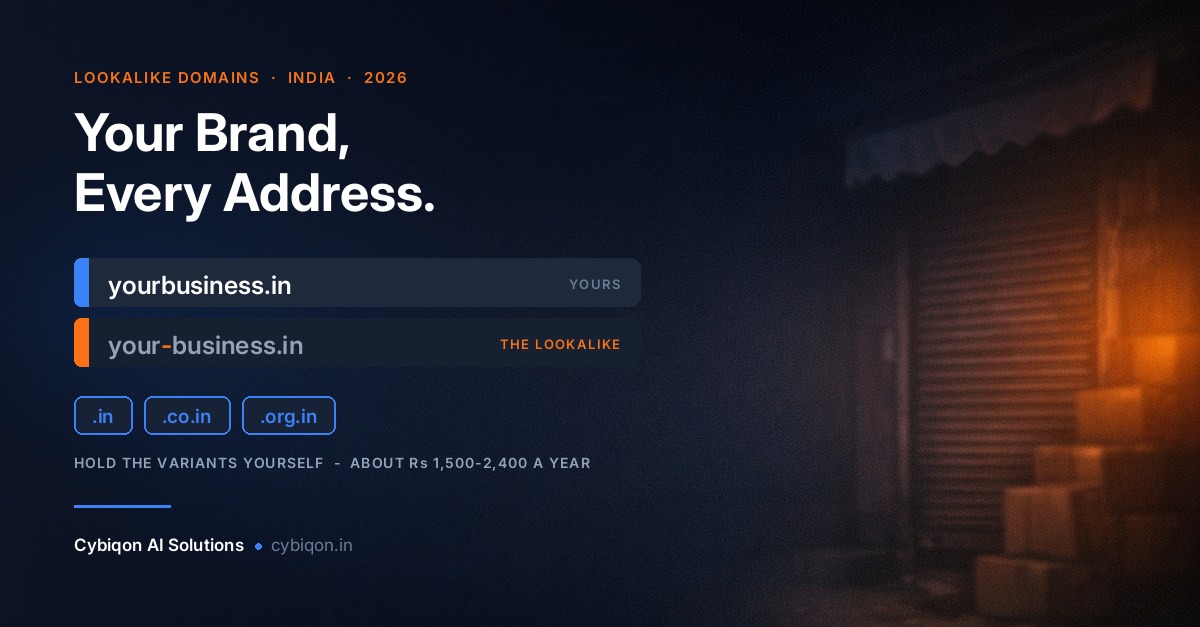
How to Stop Fake Domains Using Your Company Name in India
You typed your own business name into Google and something came back that you did not register. Same name, same logo, maybe your GST number sitting in the footer — on a domain you have never owned. If that is where you are right now, the first thing to know about how to stop fake domains using your company name in India is that the internet is going to give you the most expensive answer first, and then tell you that you do not qualify for it.
The scale is not imaginary. Seqrite's India Cyber Threat Report 2026 recorded 265.52 million detections across more than 8 million Indian endpoints between October 2024 and September 2025 — roughly 505 every minute. I4C's National Cybercrime Reporting Portal logged 21,77,524 cyber-fraud complaints in 2025, with ₹19,812.96 crore lost. Financial-fraud complaints alone went from 2.62 lakh in 2021 to 24.02 lakh in 2025.
This post is the escalation ladder in the order you should actually climb it: what to do in the first 24 hours for free, why the "just report it to the registrar" advice quietly fails, what an INDRP complaint really costs in 2026, and — the part no law-firm page will tell you — the six situations where arbitration is the wrong answer for you entirely.
A Fake Domain Is Two Problems, Not One — Triage Before You Spend Anything
Almost every mistake made here comes from treating one situation as if it were the other. There are two, and they need opposite responses.
Problem one: a phishing clone that is actively scamming your customers. Someone has copied your site and is invoicing your buyers with their bank details swapped. This is measured in hours. Winning an arbitration 90 days later is meaningless — these operations abandon the domain and move to the next one long before that. Everything you need here is free.
Problem two: a squatter parking your name for resale. Nobody is being defrauded today. The domain shows a "this domain is for sale" page, or nothing at all. This is measured in months, and it needs a legal instrument. It is also, honestly, not an emergency.
Here is a composite illustration — a scenario assembled from patterns we see, not a named real company. A Jaipur home-textiles exporter, eleven years of trading under an unregistered business name, a .com site, no trademark. A European buyer forwards a quotation that arrived from a near-identical .in address, carrying the company's own logo and GST number, with the bank account details changed. The owner's first three moves all fail: the registrar's abuse desk replies that brand disputes fall outside its obligations, a lawyer quotes an INDRP filing and asks about a trademark, and the squatter — once contacted — names a six-figure sum.
Note what is happening in that story: it is both problems at once, and the owner is trying to solve the slow one first while the fast one keeps invoicing his customers. Sort out which you have before you spend a rupee.
How to Stop Fake Domains Using Your Company Name: The First 24 Hours
If the site is live and defrauding people, speed beats ownership. None of the following costs anything or needs a lawyer.
- Report the URL to Google Safe Browsing and Microsoft SmartScreen. These put interstitial red warning screens in front of Chrome, Edge and most other browsers, typically within hours. You have not touched the domain, but you have destroyed its usefulness — which is the actual objective.
- Report the hosting provider, not just the registrar. Hosting abuse desks move faster, and live phishing is unambiguously inside the recognised definition of DNS abuse. Both desks should get the report; expect the host to act first.
- File on cybercrime.gov.in and call 1930. Do this even if you think nothing will come of it. The case number it generates is the key that unlocks the registrant-disclosure route described later in this post.
- Preserve evidence before it disappears. Full-page screenshots with visible timestamps, the fake domain's WHOIS/RDAP record, email headers from any buyer who received a diverted invoice, and the URLs. Squatters and cloners edit pages once they realise they have been noticed.
- Warn your own customers directly. A WhatsApp broadcast and a banner on your real site, naming the fake domain and confirming your only bank details, prevents more loss in an afternoon than any legal process will in a quarter.
Do not expect the domain itself to vanish quickly. Analysis reported by CircleID in May 2026 found only 13% of abusive domains were mitigated within 24 hours as of September 2024, improving to roughly 20% by early 2025. Eight in ten malicious domains survive their first day. The same analysis found the top 10 registrars host 54% of malicious domains and the top 100 over 90% — so identifying exactly which registrar to write to genuinely changes your odds.
If the impersonation has spilled into Google Maps as well and your own listing goes down in the crossfire, getting a suspended Google Business Profile reinstated is a separate process from anything on this page — handle it separately, and do not let it stall the domain work.
Why "Just Report It to the Registrar" Fails Against a Squatter
This is the advice you will get everywhere, and against a squatter it does not fail by accident. It fails by design.
ICANN's Advisory on Compliance with DNS Abuse Obligations (5 February 2024, with the contract amendments effective 5 April 2024) defines DNS Abuse as exactly five things: malware, botnets, phishing, pharming, and spam where spam is used as a delivery vector for the other four. That is the complete list. ICANN's own bylaws bar it from regulating content, and the advisory explicitly excludes trademark disputes, brand disputes and general fraud allegations from a registrar's DNS-abuse obligations.
Read that against your two problems and the picture is stark:
- Phishing clone — squarely inside the definition. The registrar and host have a real obligation. Report it, and keep reporting it.
- Squatter parking your name — outside the definition entirely. The abuse desk is not being obstructive when it declines; it is correctly telling you that your complaint is not a DNS-abuse complaint. No amount of escalation changes that.
That single distinction explains the paralysis so many MSME owners describe. The free route is quietly useless for the exact problem most people are writing in about, so they conclude nothing works and do nothing — and the clone keeps invoicing their customers. It does not help that most owners never find out until a buyer asks an odd question, which is why keeping an eye on what actually shows up on Google when someone searches your business name is worth ten minutes a month.
You Do Not Need a Registered Trademark to Stop Fake Domains Using Your Company Name
Here is the claim that most needs correcting, and it is the reason so many owners give up.
Almost every Indian page ranking on this topic opens with some version of "first, you will need a registered trademark." We read the actual INDRP policy on NIXI's own site (registry.in/domaindisputeresolution). Clause 4(i) protects rights in a "Name, Trademark or Service Mark." Not "registered trademark." Name. NIXI tribunals have accepted unregistered, common-law rights — Kenneth Cole Productions Inc v. Viswas Infomedia is the case usually cited for it.
For India this is not a technicality. There are 4.72 crore MSMEs registered on Udyam as of June 2026, and 98.9% of them are micro enterprises — overwhelmingly trading under a business name with no registered mark anywhere. Under a "registered TM required" reading, essentially the entire Indian MSME sector would be locked out of the country's own domain dispute system. It is not.
Now the honest nuance, which the pages telling you otherwise never reach because they are quoting their own invoice rather than the policy. Without a registration, you do not skip the rights question — you have to prove it. That means assembling:
- GST filings and dated invoices showing continuous trading under the name
- Your Udyam registration certificate
- Dated marketing material, catalogues, packaging, exhibition listings
- Customer records, purchase orders, buyer correspondence
- Domain registration and website history for your genuine site
A registered trademark is a very large advantage because it replaces all of that with one certificate. It is not a precondition. And all three limbs of Clause 4 remain cumulative — identical or confusingly similar name, no legitimate interest of theirs, and bad faith. Meeting two is not enough.
One more thing worth knowing if the squatter holds both a .in and a .com: INDRP is the easier case. Its third limb reads "registered or is being used in bad faith." UDRP Paragraph 4(a)(iii) reads "registered and used." One word, and it roughly halves what you must prove. Where both exist, chase the .in first.
What an INDRP Complaint Actually Costs in 2026 — and the Multiplier Nobody Mentions
The current fee under INDRP Rules of Procedure Clause 22(g) is ₹35,400 per domain — ₹30,000 plus 18% GST, split as ₹10,000 registry administration and ₹20,000 arbitrator fee. If a page quotes you "₹1,000 admin plus ₹9,000 arbitrator," it is reproducing the pre-2014 structure and has not been updated in over a decade.
And here is the line every competing page omits. Rules Clause 4(c) requires a separate complaint for each domain name. A squatter holding yourbrand.in, yourbrand.co.in and yourbrand.org.in does not cost you ₹35,400. It costs roughly ₹1.06 lakh — before your lawyer, who is usually the larger number. An optional personal hearing adds ₹2,000 plus GST, capped at two.
| Route | Cost | Timeline | What you must have |
|---|---|---|---|
| Safe Browsing / SmartScreen / host reports | Free | Hours | The URL and evidence |
| NIXI policy complaints (.IN only) | Free | Weeks | A screenshot of the breach |
| INDRP arbitration (.in family) | ₹35,400 per domain + legal | Award in 60 days, extendable by 30 | Rights in a name, bad faith, evidence |
| UDRP / WIPO (.com and gTLDs) | USD 1,500 for 1–5 domains (~₹1.3 lakh) + legal | 45–60 days | Bad faith in registration and use |
| WIPO 2026 expedited option | USD 4,000 | ~1 month | Same |
| Defensive registration (.in + .co.in + .org.in) | ~₹1,500–₹2,400/year | Minutes | Nothing |
| Trademark, MSME rate | ₹4,500 per class | Months | Udyam certificate |
On timelines, INDRP is genuinely fast by Indian legal standards: an arbitrator is appointed within 5 working days, and the award is due within 60 days, extendable by a maximum of 30 (Rules Clause 5). Budget for the tail, though — Policy Clause 14 imposes a 90-day hold before the transfer is executed.
Your odds are good if the case is well built. An analysis covering roughly INDRP's first fifteen years, published in 2020, found 97%+ of decisions across 1,177+ matters favoured complainants, with a slight decline noted more recently. Two caveats matter: about a quarter of the failures were rejected without a hearing on the merits — filed badly, not lost badly — and costs of ₹10,000 to ₹30,000 have been awarded against complainants in 70+ cases. Filing a weak case is not free.
When Arbitration Is the Wrong Answer for You
For a large share of people reading this, ₹35,400 is the wrong answer — and the pages ranking above this one will not say so, because they are written by the firms that file it. Arbitration is not for you if:
- The site is actively phishing your customers. Hours versus 60–90 days. Use the free routes in section two. Arbitration is irrelevant to the harm actually happening.
- The domain is parked or dead and nobody has been harmed. There is no emergency. Do the ₹4,500 trademark and the defensive registrations first, and come back only if the squatter surfaces and demands money — which is itself strong Clause 4 bad-faith evidence you did not have before.
- It is a .com, .shop or .store and you are small. UDRP runs about ₹1.3 lakh before lawyers, on a harder legal test. Rarely proportionate for a micro enterprise.
- The other party has a plausible claim. They are commonly known by the name, or operate in an unrelated sector, or registered before you existed. Clause 4(ii) and Policy Clause 6 will sink you, and panels have flagged reverse domain-name hijacking.
- Your name is descriptive or generic. "Delhi Steel Traders" or "Mumbai Bakery" will struggle on Clause 4(i) whether registered or not. Spend the money on a distinctive brand instead.
- The squatter is asking for a modest sum. Do the arithmetic out loud: ₹35,400 plus legal fees, plus 60–90 days, plus a 90-day transfer hold. If the ask is well below that total, buying it through an escrow service is arithmetic, not weakness. No law-firm page will tell you this.
Three Free .IN Registry Levers No .com Owner Has
If the fake domain ends in .in, .co.in or .org.in, you have leverage that a .com owner simply does not — and none of it costs anything.
1. WHOIS privacy is not permitted for .IN. NIXI Registry Advisory LA-02 prohibits privacy or proxy registration on .IN domains, and inaccurate WHOIS data can trigger suspension or deletion. A .in squatter hiding behind a privacy shield is already in breach of registry policy, and that is reportable on its own. It also means the RDAP/WHOIS record for a .in is far more likely to name a real human than a .com record would.
2. e-KYC of registrants is mandatory. NIXI requires registrant verification, and unverified domains are placed on SERVERHOLD — they stop resolving until the registrant complies. This has been confirmed independently by registrar operators including OpenSRS/Tucows and Enom. A squatter who registered casually with junk details has a real exposure here.
3. Speculative sale of .IN domains is now non-permissible. A NIXI advisory of 11 May 2026 states that "auctioning, bidding, speculative sale, or facilitation of auction of any .IN domain name is strictly non-permissible." Read that against the typical squatter's landing page. A public "this domain is for sale" listing on a .in is itself a free, no-lawyer complaint to the registry — entirely independent of INDRP, and it costs you a screenshot.
Nobody covers these three, and for an Indian MSME they are the highest-return half hour on this entire page. Send them with your evidence pack before you send anyone a retainer.
What the Delhi High Court Ruling Does — and Does Not — Give an MSME
In December 2025, Justice Prathiba M. Singh of the Delhi High Court decided Dabur India Ltd v. Ashok Kumar (CS(COMM) 135/2022) and Colgate-Palmolive v. NIXI (CS(COMM) 193/2019), issuing 14 binding directions to domain registrars: mandatory e-KYC at registration, the end of privacy-by-default (privacy becomes a paid opt-in), disclosure of full registrant details within 72 hours to courts, law enforcement or rights holders, locking or suspension on court order, and permanent blocking of fraudulent domains from re-registration. Over 1,100 fraudulent websites were ordered blocked.
GoDaddy, Namecheap and Hosting Concepts are appealing before a larger bench, heard from 16 July 2026, and GoDaddy has warned it may exit India rather than comply. The order remains in force in the interim as of August 2026.
Now the catch, because you will not read it elsewhere. The judgment's language is built around trademark owners and well-known marks, and the takedown obligations trigger on court orders. An MSME with no registered mark and no court order cannot simply email GoDaddy, cite Dabur, and expect a domain to be suspended. The genuinely usable part for a small business is the 72-hour registrant-disclosure direction — and in practice the reliable way to invoke it is through your police or cybercrime.gov.in complaint, which is exactly why filing that complaint on day one matters even when it feels pointless.
Prevention Beats Every Remedy by an Order of Magnitude
Everything above is expensive, slow, or both. The version that costs almost nothing happens before the fake domain exists.
- Register the defensive set. Real 2026 India pricing: .co.in from around ₹449/year (renewing ₹459) and .in around ₹549 first year renewing near ₹599 at The PowerHost, while ChennaiHost lists .in at ₹899 and .co.in/.org.in at ₹799. A .in + .co.in + .org.in set runs roughly ₹1,500–₹2,400 a year — not the ₹500 you will see quoted. Two traps: ₹99 first-year coupons renew at full list price, so always compare on the renewal figure, and there is no DPML-style defensive block for .in (Identity Digital's DPML covers its own gTLDs, not India's ccTLD). Even at the top of that range, it is 15–25 times cheaper than one INDRP filing, and it belongs in the same budget line as what your website costs to run each year.
- File the trademark at the MSME rate. ₹4,500 per class if you hold a Udyam certificate, against ₹9,000 for companies and LLPs without one; DPIIT-recognised startups get the same ₹4,500. The trap that costs people money: if you qualify but file without attaching the Udyam certificate, you are charged the full ₹9,000 and there is no refund. Physical filing costs ₹500 more than online.
- Monitor continuously, for free. Certificate-transparency logs (crt.sh) surface a lookalike the moment it obtains an SSL certificate — often before it has any content. Domain-permutation scanning in the style of dnstwist catches typo variants. Google Alerts catches the rest. The point is to learn a lookalike exists within hours rather than after your first defrauded customer.
- Make your real site obviously the real one. Separate from ownership, there is a content-level job here — the trust signals and reporting routes that make a clone site impersonating your business easy for a customer to distrust and easy for a platform to act on.
Add it up: roughly ₹1,500–₹2,400 a year in defensive domains, ₹4,500 once for a trademark at the Udyam rate, and free monitoring. That is less in a year than a single INDRP filing — and the conversation never starts.
FAQs
Someone registered a domain with my company name — what can I do in India?
First decide which problem you have. If the site is live and defrauding customers, use the free routes immediately: Google Safe Browsing and Microsoft SmartScreen reports, an abuse report to the hosting provider as well as the registrar, and a complaint on cybercrime.gov.in plus the 1930 helpline. If it is a squatter parking the name for resale, that is a months-long legal matter — file the free NIXI policy complaints first if it is a .IN domain, and only then consider an INDRP complaint.
Can I file an INDRP complaint without a registered trademark?
Yes. INDRP Clause 4(i) protects rights in a "Name, Trademark or Service Mark" — it does not say "registered trademark," and NIXI tribunals have accepted unregistered common-law rights. The catch is evidential: without a registration you must prove the rights yourself using GST filings, dated invoices, your Udyam certificate, marketing material and customer records. A registered mark is a major advantage, not a legal precondition.
How much does an INDRP complaint cost in 2026?
₹35,400 per domain — ₹30,000 plus 18% GST, split ₹10,000 registry administration and ₹20,000 arbitrator fee, under Rules Clause 22(g). Crucially, Rules Clause 4(c) requires a separate complaint per domain name, so three domains cost around ₹1.06 lakh, not ₹35,400. An optional personal hearing is ₹2,000 plus GST, maximum two. None of this includes your lawyer, which is usually the bigger number.
How do I take down a fake website impersonating my business in India?
For a live phishing site, browser-level blocking is faster than domain-level removal: Safe Browsing and SmartScreen reports typically produce warning interstitials within hours. Report the hosting provider too, since live phishing falls squarely inside recognised DNS-abuse obligations while brand disputes do not. File on cybercrime.gov.in for the case number. Expect the domain itself to persist — only about 13% of abusive domains were mitigated within 24 hours as of September 2024.
How do I find out who registered a domain in India?
Start with a WHOIS or RDAP lookup. For .IN domains you are in a better position than most: NIXI Registry Advisory LA-02 does not permit privacy protection on .IN, and registrant e-KYC is mandatory, so the record is more likely to identify a real person. If details are still hidden, the Delhi High Court's December 2025 directions require registrars to disclose full registrant details within 72 hours to courts, law enforcement or rights holders — most reliably invoked through a police or cybercrime complaint.
Where Cybiqon Fits
We are a small, two-person LLP in India building websites, apps, Chrome extensions, AI automation and web scraping for MSMEs — so the part of this problem we are actually useful for is the boring, decisive part. We build the detection layer: automated certificate-transparency and domain-permutation monitoring on a schedule, so you find out a lookalike exists within hours instead of after the first defrauded customer. Then we handle the follow-through — registering your defensive .in/.co.in/.org.in set, filing the free Safe Browsing, host and registry reports, and packaging the evidence properly so a lawyer only gets involved if arbitration is genuinely warranted. That is web development, scraping and automation in one conversation. If your business name is worth protecting, have a look at cybiqon.in, write to [email protected], or call +91 9250711473. No pitch, no retainer to talk.
Conclusion
The honest answer to how to stop fake domains using your company name in India is that it depends entirely on which of the two problems you have. A live phishing clone is an hours-long fight you win for free with browser and host reports. A squatter is a months-long fight where INDRP costs ₹35,400 per domain — and where, contrary to almost every page on the subject, an unregistered business name is enough to file on if you can evidence it. For most readers, though, the right move is the cheap one: register the defensive set, file the trademark at the ₹4,500 Udyam rate, and start monitoring today.
Want this set up for your business?
Book a free call — no tech jargon, no sales pressure. Just honest answers.
What we build for this: Web scraping & data