One WhatsApp Business number shared by several staff: limits, SIM binding, Meta Verified vs an owned team inbox
WhatsApp Business Multiple Users, Same Number: Who Replied?
WhatsApp Business Multiple Users, Same Number: Who Replied?
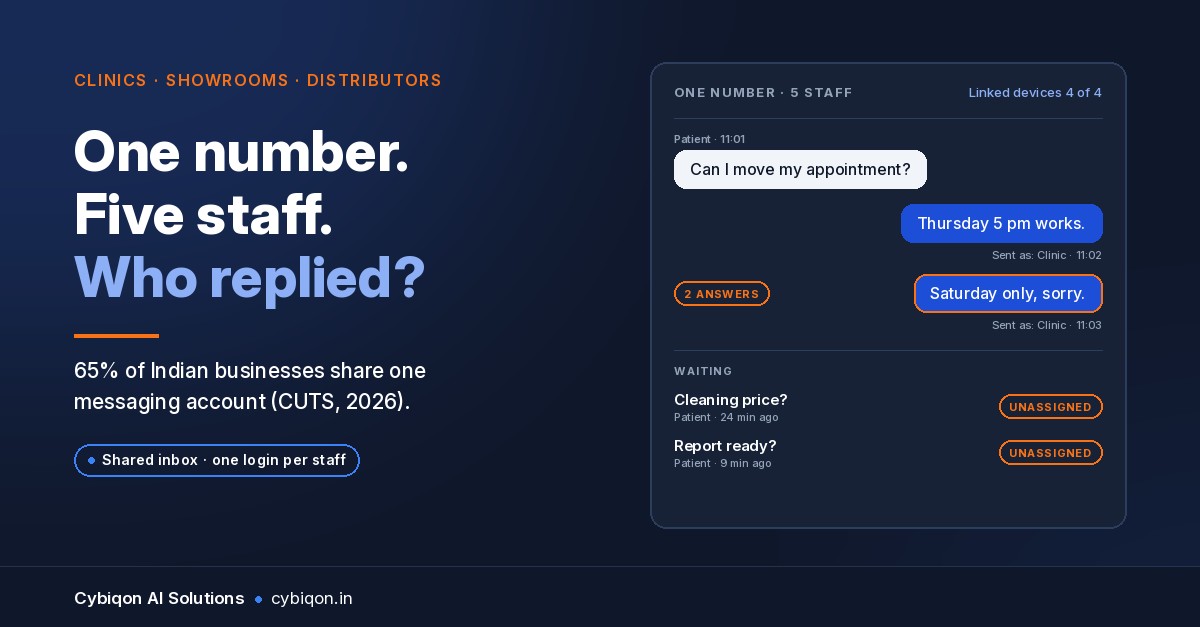
Your receptionist told a patient "Thursday 5 pm works". Your manager, on another phone, told the same patient "Saturday only". WhatsApp showed both messages as "the clinic", and nobody knew about the clash until the patient called to ask which one was true.
If you've searched "WhatsApp Business multiple users same number", you're probably running this exact setup: one number, a SIM in a counter phone, WhatsApp Web on the front-desk PC, and three to six staff replying to customers. You're not alone. CUTS International surveyed 600 Indian firms in early 2026 and found that 65% share one messaging account among employees, 58% use web interfaces such as WhatsApp Web, and over 60% expect disruption from the Department of Telecommunications (DoT) SIM-binding rules, as reported by ETTelecom.
Those rules have to be met by 31 Dec 2026 and take effect on 1 Jan 2027. So this is a good time to sort the setup out. This guide covers:
- what the free app actually allows
- where it breaks
- what SIM binding may mean for your counter PC
- when Meta Verified is enough, and when a proper WhatsApp team inbox is worth building
Can Multiple People Use the Same WhatsApp Business Number?
Yes, within limits. According to the WhatsApp Help Center, the free WhatsApp Business app runs on one phone plus up to four linked devices. WhatsApp's own wording is that linking devices lets more employees answer customers. Linked devices can be WhatsApp Web on a PC, the desktop app, or other phones.
That gives you five screens at most. Some vendor blogs say "five devices" and others say "four", and both are describing the same thing: the main phone plus four linked devices.
What the free app does not give you:
- Separate logins. Every device is the same account, and every reply shows up as the business.
- A record of who replied. There's no log telling you that Riya answered at 1:40 pm and Arjun at 1:42 pm.
- Chat assignment. You can't hand a chat to one person so the others leave it alone.
- A sixth person. Once the four linked slots are full, the only way to add another person is to share someone's device, and then even the device name stops telling you anything.
For a three-person team that sits in one room, this is often fine. Trouble starts when people are spread across a counter, a billing desk and a branch, or when the owner wants to know why a lead went cold.
Where One Shared WhatsApp Business Number Breaks
Take an illustrative example, not a client: a two-branch dental clinic in Pune. The SIM sits in the reception phone and WhatsApp Web runs on the reception PC. Two front-desk staff, the billing person and the clinic manager are linked on their own phones, which is already one phone plus four devices, the free app's limit.
This is how it goes wrong:
- Double replies. Two people answer the same patient with different answers, and both show as "the clinic".
- Chats nobody owns. At lunch, everyone assumes someone else has picked up the new enquiry. It sits unread until the patient books elsewhere.
- Devices dropping off. The WhatsApp Help Center says linked devices disconnect if the main phone isn't used for 14 days, and inactive linked devices are removed after 30 days. Say the reception phone stays switched off through a two-week Diwali closure. Every linked device has to be re-linked when the clinic reopens.
- No accountability. When a patient complains that nobody replied, there's no way to check who saw the message, or when.
The same pattern shows up at a coaching centre handling admission enquiries in Kota, at a two-wheeler showroom in Indore, and at a Ludhiana distributor whose dealers message one number for stock, rates and payment follow-ups. None of these problems show up on any screen. You find out when a customer complains.
Will WhatsApp Web Stop Working After SIM Binding on 1 January 2027?
Here's what is known and what isn't.
Known: Under the DoT directions, messaging apps such as WhatsApp have to keep an account tied to the active SIM in the device. According to Inc42 and Digit (October 2026), companies must comply by 31 Dec 2026, and the rules take effect on 1 Jan 2027. These dates come from press reports. We could not find a DoT notification or Gazette text with the final wording.
Contested: The original directions of 28 Nov 2025 included a fixed six-hour logout for web sessions. Beebom and The Hindu (April 2026), and later Digit and Inc42, reported that it was replaced by "risk-based" logouts. However, DoT has not published amended text, and Social Samosa (26 Oct 2026) still describes the six-hour rule.
Unknown: Meta has made no public statement on how SIM binding will treat linked devices or WhatsApp Web for WhatsApp Business app users. Digit says linked-device users "could be asked to reconnect".
For your counter PC, the honest answer is that nobody can promise it will keep working without interruptions. If the front desk might have to scan a QR code again in the middle of clinic hours, that's an operational risk worth planning for now.
The official WhatsApp Business Platform (Cloud API) works differently. Your inbox talks to Meta's servers directly rather than running through a phone and a browser session, so it's far less exposed to a rule written around SIMs in handsets.
Meta Verified: More WhatsApp Business Multiple Devices, Same Shared Account
Meta Verified for Business is the paid upgrade inside the app. Meta's official pages list a "multi-agent" feature that lets you connect more devices and assign chats to sales agents. The WhatsApp Help Center gives this ladder of linked devices:
| Meta Verified tier | Linked devices |
|---|---|
| Business Standard | 4 |
| Plus | 6 |
| Premium | 8 |
| Max | 10 |
On price: Meta has not published India rupee prices for each tier. A BSP (Business Solution Provider), MyOperator, reported ₹639, ₹1,399, ₹3,899 and ₹18,900 per month in September 2026. Only the ₹639 figure (from the 2024 launch) is backed up anywhere else. Check the in-app signup flow before you budget.
What it doesn't change: Even on Max, it is still one shared account on more devices. You get more seats and some chat assignment, but not separate staff logins, a per-person reply log or handover notes. Meta also doesn't say whether chat assignment is included on every tier, so confirm that in the app as well.
Meta Verified is a reasonable step if your only problem is "we need two more devices". It doesn't solve "I can't see who said what".
What Is a WhatsApp Team Inbox, and Do You Need One?
A WhatsApp team inbox (also called a shared inbox or multi-agent inbox) sits on the official WhatsApp Business Platform. Customers keep messaging the same number, while your staff work from a web inbox where:
- each person has their own login, so every reply carries a name
- chats are assigned, for example new enquiries to the front desk by default and payment questions to billing
- handover notes travel with the chat ("patient prefers evenings, quoted ₹4,500 for cleaning")
- reply times are logged by person and by hour, so you can see the lunch-hour gap
- chats nobody has picked up are flagged, for example anything unassigned for more than 15 minutes
If you're new to the platform, our explainer on how the WhatsApp Business API works covers the setup. Moving to it properly through Meta's official route is also what keeps you clear of getting the number banned, which is what happens with unofficial tools that drive the normal app.
Can I keep using the app on the same number? Through coexistence, yes. Per Meta's developer documentation, the Business app and the Cloud API can run on one number, and messages sent from the app stay free. The limits are real, though:
- WhatsApp for Windows isn't a supported companion device.
- Broadcast lists become read-only.
- Group chats don't sync.
- Only six months of chat history syncs.
- 360dialog's documentation says companion devices are unlinked when you onboard, and the app has to be opened at least every 13 days.
India availability is confirmed in BSP documentation (DoubleTick) rather than by Meta directly.
What a WhatsApp Shared Inbox Costs to Run in India
Meta's pricing changed on 1 Oct 2026. On the Cloud API, each business phone number gets 1,000 free service messages a month, and replies after that are charged. Incoming customer messages are still free. Reported India rates vary between sources, so plan for about 12–15 paise per reply plus GST. Indian accounts also have to move to INR billing by 31 Dec 2026.
As a rough worked example, a clinic sending about 3,000 replies a month would pay for 2,000 of them, which comes to roughly ₹230–₹290 plus GST, plus hosting for the inbox. Many third-party inboxes also charge a monthly fee per staff seat. An inbox you own doesn't have per-seat fees, because the code belongs to you. For the wider picture on bots and automation, see our breakdown of what an AI chatbot costs in India.
Decision Table: WhatsApp Business Multiple Users by Team Size
| Your situation | Best fit | Why |
|---|---|---|
| 1–3 people, one room, few enquiries | Free app + house rules | Within the 1 + 4 device limit; you can see who's replying |
| 4–6 people, need more devices, can live without a per-person log | Meta Verified tier (check in-app price) | 6–10 linked devices and some chat assignment, still one shared account |
| 3–6+ people across desks or branches, leads going cold, owner needs accountability | Owned shared inbox on the Cloud API | Per-staff logins, assignment, handover notes, reply-time log, and no dependence on a WhatsApp Web session |
| Worried about the counter PC after 1 Jan 2027 | Cloud API or coexistence | Doesn't run through a phone-plus-browser session |
House Rules for Teams Staying on the Free App
If the free app still fits, these rules cut most of the confusion:
- Name each linked device after a person ("Riya – Front desk"), not "Chrome on Windows".
- Staff sign replies with their first name: "– Riya".
- Use labels as rough assignment: "Riya", "Billing", "Unassigned".
- One person owns the unread queue each shift, including lunch.
- Keep the SIM phone powered on and open WhatsApp on it daily, so linked devices don't drop after 14 days.
- Write down the QR re-link steps for the counter PC and stick them near the screen.
- Don't share logins to add a fifth staff member beyond the device limit.
For the bigger picture of what automation can take off the front desk, the hub guide on what WhatsApp automation can do for an Indian business is a good next read.
FAQs
Can multiple people use the same WhatsApp Business number?
Yes. The free app allows one phone plus up to four linked devices, so up to five people can reply at once. All of them reply as the same account, so there's no record of who sent what.
How many devices can I link to WhatsApp Business?
Four linked devices on the free app, alongside the main phone. Meta Verified tiers raise this to 4, 6, 8 or 10 (Business Standard, Plus, Premium, Max).
Can I see which employee replied on WhatsApp Business?
Not in the free app or Meta Verified, because it's still one shared account. You need a team inbox on the WhatsApp Business Platform with separate staff logins.
Why do my WhatsApp Business linked devices keep logging out?
Linked devices disconnect if the main phone isn't used for 14 days, and inactive linked devices are removed after 30 days, according to the WhatsApp Help Center. Open WhatsApp on the SIM phone every day.
Are customer replies on the WhatsApp Business API free in India?
Partly. Since 1 Oct 2026, each number gets 1,000 free service messages a month on the Cloud API. Replies after that cost about 12–15 paise each plus GST. Incoming messages remain free.
Want a Team Inbox Written for How Your Front Desk Works?
Cybiqon builds owned shared inboxes on the official WhatsApp Business Platform, either on the Cloud API directly or with coexistence if your staff want to keep the app on the main phone. Each staff member gets a login. Chats are assigned the way your clinic, showroom or distributorship actually hands customers over. Handover notes and a reply-time log let you see who answered, and how fast.
The inbox is written for your business rather than configured from a template, and you own every line of the code. Running costs are Meta's per-message fees plus hosting, with no per-seat subscription. Our WhatsApp automation work starts at ₹19,999 one-time. A shared inbox is scoped and quoted on the call before anything starts.
Tell us how many staff share your number. Book a 30-minute call, WhatsApp +91 9250711473 or email [email protected]. We'll tell you honestly whether Meta Verified is enough.
Conclusion
Running WhatsApp Business with multiple users on the same number works until the team grows past one room. The free app gives you five screens but no names, no assignment and no log. Meta Verified adds devices but keeps the single shared account. With SIM binding arriving on 1 Jan 2027 and the counter-PC setup uncertain, now is the time to decide. Stay on the app with clear house rules, or move to a team inbox on the official platform that you own. If you'd like a second opinion, Cybiqon is a 30-minute call away.
Want this set up for your business?
Book a free call — no tech jargon, no sales pressure. Just honest answers.
What we build for this: WhatsApp automation