Google Business Profile suggested edits: the 4-day accept/reject rule, who gets notified, a field-by-field fix table, Indian Maps number-swap fraud and 1930 steps, multi-outlet routine and Business Profile API limits
Google Business Profile Suggested Edits: Your 4 Days to Reject
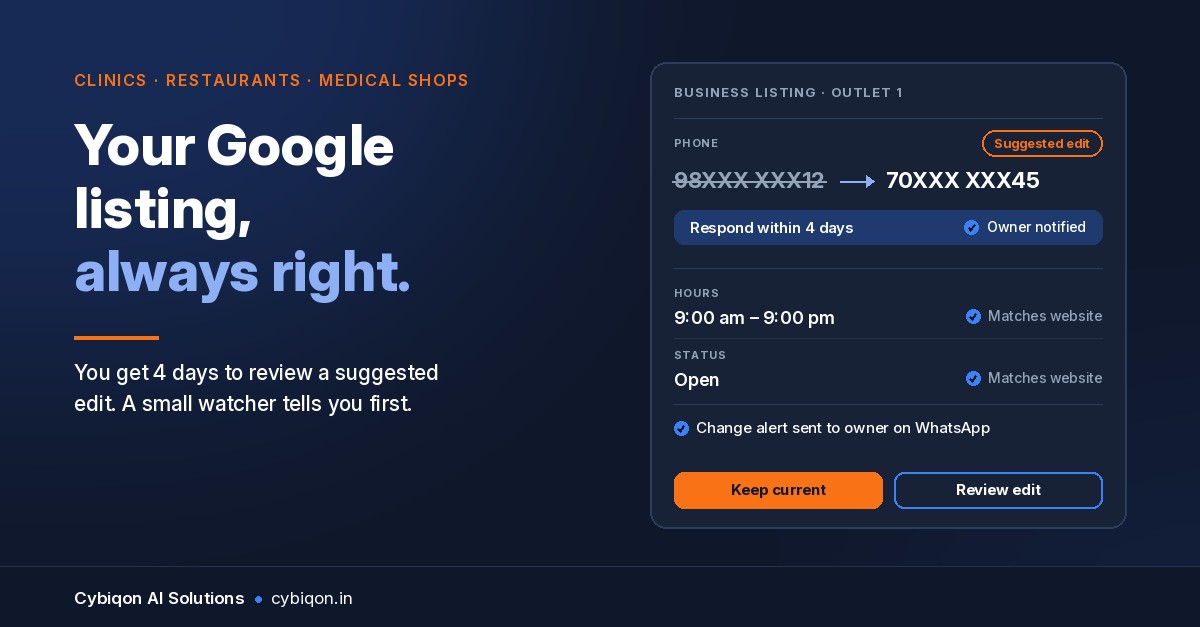
A patient calls your clinic's number from Google Maps and gets a stranger. A regular walks to your restaurant on a Tuesday because Maps said you were open, and finds the shutter down. Or the listing for one of your medical shops suddenly says "Permanently closed". Nobody on your team touched the profile. That is Google Business Profile suggested edits at work: anyone with a Google account can propose a change to your listing, and Google can publish it.
The numbers are large. Google says it blocked 79 million inaccurate or unverified edits to Maps listings in 2025, while users suggested 80 million updates to business details (Google Keyword blog, 16 Apr 2026). Most suggestions are honest. Some aren't, and the ones that get through can cost you customers, or cost your customers money.
Google's help page now says it in writing: once Google tells you about a suggestion, you have 4 days to accept or reject it. This post covers how the 4 days work, who gets the alert, how to fix each field, what to do if a scammer's number goes live on your listing, and how to keep 3 to 30 outlets in check.
What are Google Business Profile suggested edits?
On Google Maps, anyone can tap "Suggest an edit" on a business and propose a new phone number, new hours, a new address, a different website, or a closed status. That is Google Maps suggest an edit. On your side, as the owner, these turn up as Google Business Profile suggested edits, changes waiting for your approval or already applied.
Google treats this as crowd-checking: if a restaurant really has changed its hours, customers often notice before the owner updates anything. The trouble is that the same door is open to competitors, pranksters and fraudsters.
Can anyone edit my business on Google Maps? Anyone can suggest an edit. Whether it goes live depends on Google. Its help page "Understand Google updates on your Business Profile" (answer 3480441, checked 9 Nov 2026) says Google "will notify you about certain suggested edits before they are published", and also that it "may apply suggested user edits to your business information without prior review." Google does not publish a list of which edits skip review.
Edits are one of several reasons a listing behaves badly. If your real problem is that a competitor ranks above you on Maps, start with our guide on why your competitor shows up on Google. That is the hub for everything about getting found locally.
Someone changed my Google business listing: the 4-day rule
Here is what Google's help page says, in its own words:
- "Once notified, you have 4 days to accept or reject the suggestion."
- If you don't respond, "Google may automatically publish the update if it is supported by other publicly available information". The example Google gives is your business website.
- The notification appears "at the top of the page" when you open your profile, and fields Google has changed show in blue in the profile editor.
Search Engine Roundtable first reported the 4-day wording on 23 Sep 2026. Relevant Audience pointed out that the 4 days include weekends and holidays, and that it isn't clear whether the behaviour is new or just newly documented. Two weeks earlier, SER reported a Google email asking owners "Does this look right to you?" and to "share your feedback within 4 days".
Why 4 days is short in India. A suggestion that lands on the Thursday before a Diwali weekend, or during a Pongal or Durga Puja break, can run its whole 4 days while the person who checks the profile is away. A clinic owner who opens the dashboard once a week will miss it.
How fast can it happen? In one test from August 2024, Near Media had three Local Guides suggest the same new phone number for a listing. Google rejected the first, held the second as pending, and published the third at once. It took 22 minutes in total. That was one test, not a Google policy, but it shows the 4-day notice isn't guaranteed to come before the change.
Your own fixes aren't instant either. Google says owner edits usually take up to 10 minutes and sometimes up to 30 days to appear (answer 3038311).
Who gets notified: the primary owner problem
In the Near Media test, a listing manager got an email within minutes. The primary owner got no email or alert, and the notice was sitting under Edit profile. Again, that's one test. But it points at a common Indian setup that makes things worse.
In a lot of businesses, the Google account that holds primary ownership of the profile isn't the owner's. It's the Gmail of the agency that set up the listing in 2019, a nephew who "does the computer work", or a receptionist who left last year. Whatever alerts Google sends go to an inbox nobody reads.
Check this today:
- Open your Business Profile and look at the people and access settings.
- Note who is the primary owner, and who are owners and managers.
- If the primary owner is someone outside the business, ask them to transfer it to an account the business controls, say a shared
[email protected]address, not one person's personal Gmail. - Add at least one more owner who actually checks email every day.
If an ex-employee or agency won't hand it over, it's the same fight as getting your domain and hosting back. Our post on what to do when a developer is not giving website access covers how to approach it and what records to collect.
How to fix my Google business listing: field by field
How do I reject a suggested edit? Sign in to the account that manages the profile, open it from Google Search or Maps, and look at the top of the page for Google's notice. Go through each suggested change and accept or reject it. Fields Google has changed are shown in blue in the profile editor. If an edit has already gone live, change the field back to the right value and save.
Each field has its own way of going wrong:
| Field that changed | What usually goes wrong | What to do |
|---|---|---|
| Phone number | A scammer's number, or an old number someone remembered | Reject it, or put the correct number back. Make sure your website shows the same number. Then call the listing yourself from another phone to check. |
| Hours | Festival or seasonal hours left in, a Sunday shown as closed | Set your regular hours, then add special hours for festivals ahead of time so customers don't "correct" you |
| Permanently closed | A competitor, a confused customer, or a branch that moved | Set the business status back to open and check that the address and hours are right. Add fresh photos of the storefront. |
| Website link | Pointed to an aggregator, an old domain, or a lookalike site | Put your own domain back. If a fake site is pretending to be you, deal with it separately (see below). |
| Photo with a phone number in it | An uploaded image showing a fake helpline | Report the photo. Check your customer photos every week. |
That last row is new. On 10 Sep 2026 SER reported a US scam where an AI-generated photo containing a fake phone number was added to listings. You can reject a phone edit and still have the fake number sitting in a photo.
Google business profile marked permanently closed by mistake is different from a suspension. If the profile itself has been suspended, you can't fix it by editing fields. Follow the steps to reinstate a suspended Google Business Profile instead.
Can I stop people suggesting edits? No. Owners have no switch to turn it off. What you control is how fast you respond and whether your public information (your website most of all) agrees with your version.
Google Maps fake number scam India: why the wrong number is dangerous
A Google Maps wrong phone number on my business isn't only a lost lead. In India it has been a fraud method for years:
- Nov 2018, Thane: Bank of India branch numbers were edited on Maps, and callers were asked for CVV and PIN (The Quint).
- Mar 2020: Maharashtra Cyber Police wrote to Google about 60+ cases in six months. Google took down swapped numbers and turned off community editing of bank contact details. According to the Free Press Journal, fraudsters then moved on to wine shops and event planners.
- Aug 2021, Malad: a man lost Rs 70,000 to a wine-shop listing fraud (FPJ).
- Aug 2022, Dahisar: a resident lost Rs 5.35 lakh after fraudsters replaced a local wine shop's number on Maps. A Rs 550 QR payment was followed by a fake "registration" that took their card number and CVV (FPJ).
- Oct 2025: the FPJ reported that Emmay Entertainment paid a Rs 6.75 lakh advance to a fraudster who had "manipulated the shop's Google listing". Vile Parle police froze accounts. (That's a single report.)
We found no 2026 Indian case. These are background, not a new wave. Still, MHA told the Lok Sabha that Rs 22,845 crore lost to cyber fraud was reported on the national portal in 2024 (via YourStory). A trusted shop name on Maps is useful bait.
If a customer was cheated through your listing:
- Tell them to call 1930 at once and file a complaint at cybercrime.gov.in. PIB describes 1930 as the line for quick reporting and, where possible, freezing of the fraud transactions. Speed matters.
- Take dated screenshots of your listing showing the wrong number, then fix it.
- File your own complaint as the business whose identity was misused, and keep the reference number.
- Put the correct number on your website, WhatsApp status and shop board, with one line: "We never ask for card details or OTP on call."
If scammers are also running a lookalike site, see how to stop fake domains using your company name.
Multiple outlets or dealer listings: a weekly routine
One listing is easy to watch. Twelve pharmacy branches, 20 franchise outlets, or 30 dealer listings carrying your brand are not. Say a clinic group in Pune runs four branches. A suggestion changes the Kothrud branch's number to 98XXX XXX12 on a Friday evening, the manager who has access is on leave, and by Tuesday patients are calling a stranger. Nobody would notice until a patient complained.
A routine that works without any software:
- One owner of the problem. Pick one person to check every location's profile on fixed days, Monday and Thursday for example, so no 4-day window passes without a check.
- A master sheet with the correct phone, hours, address and website link for each outlet. Whoever checks compares every profile against it.
- Festival hours entered a week ahead for every outlet.
- A test call to each outlet's Maps number once a month.
Make your website the reference. Google's help page names your business website as public information it may use when deciding whether to publish an unanswered edit. So a website that lists every outlet with the correct number and hours backs up your version. A page per location, or a proper dealer locator on your website, does that job. You can add LocalBusiness structured data too. Google says it "tells Google about business hours", with telephone and openingHoursSpecification recommended, though Google "does not guarantee" any feature will show. To be clear, schema does not stop edits and does not feed your Business Profile. What helps is a website that is correct and consistent.
A website that's been hacked or flagged works against you here. If Chrome shows a warning on yours, fix the "This site may be hacked" warning first.
Can software watch Google Business Profile suggested edits for you?
Partly. Google's Business Profile API lets a developer build a watcher that checks your locations for you:
locations.getGoogleUpdatedreturns a location "as it appears live on Google Maps and Search", along with adiffMaskshowing which fields differ from what you set.- The
hasGoogleUpdatedflag marks locations Google has changed, and Pub/Sub notifications (GOOGLE_UPDATE,NEW_CUSTOMER_MEDIA) can send an alert to WhatsApp or email within minutes.NEW_CUSTOMER_MEDIAalso covers the fake-number-in-a-photo problem. - Updates can be accepted or rejected through
locations.patch.
The limits, honestly:
- Access needs an application. The profile must be verified and active for 60+ days, and the business must have a website. Quota is 0 until Google approves you, then 300 queries a minute (prerequisites).
pendingMask"only tracks the status of the merchant's own edits, not external changes".- Google's docs don't say whether the 4-day suggested-edit notices show up through the API. A watcher catches changes once Google flags them. It can't promise to see every pending suggestion before it goes live.
So a watcher won't replace the weekly check, but across 10 or 30 locations it catches what a human misses.
FAQs
Why did my Google business listing change without my permission?
Anyone can suggest edits on Google Maps. Google says it may apply suggested user edits "without prior review", or publish them if you don't respond within 4 days and public information, such as your website, supports them.
How long do I have to reject a suggested edit?
Google's help page says 4 days from when you're notified, and those 4 days include weekends and holidays. After that, Google may publish the edit automatically.
Can anyone edit my business on Google Maps?
Anyone with a Google account can suggest an edit. Only owners and managers of the profile can accept or reject them. You can't turn off suggestions.
Why does Google show the wrong phone number?
Usually because someone suggested a different number and Google accepted it, sometimes after several matching suggestions. Fix it in the profile, make sure your website shows the right number, and check customer photos for a fake number too.
Who gets notified, the owner or managers?
Google doesn't say exactly. In one Near Media test, a manager was emailed within minutes and the primary owner got no alert. Make sure someone who checks email daily is an owner on the profile.
What Cybiqon would build for this
For a clinic, restaurant or chain with several outlets, Cybiqon would build the website Google can check your details against: a page for every outlet with the correct phone, hours and address, structured data, and a store or dealer locator if you need one. It's written for your business, not filled into a template, and you own the code. Our custom websites start at ₹9,999 one-time, go live in 2–3 weeks, and include the first year of hosting (after that it's roughly ₹4,000–6,000 a year, paid directly to the provider).
If you have enough eligible locations to justify it, we can scope a Business Profile watcher separately. It would alert you on WhatsApp when Google changes a field or a new customer photo appears. Its cost depends on your outlets and Google's API approval, so we quote it after a call. Book 30 minutes, call +91 9250711473, or write to [email protected].
Conclusion
Google Business Profile suggested edits aren't going away. Google is blocking tens of millions of bad ones and still publishing others, sometimes without review, sometimes after a 4-day silence. Put a daily-email account on the profile as owner, check every outlet twice a week, keep your website as the correct record, and know the 1930 route if a fake number reaches a customer. If you want that website, or a watcher across your outlets, built properly, Cybiqon is a 30-minute call away.
Want this set up for your business?
Book a free call — no tech jargon, no sales pressure. Just honest answers.
What we build for this: Custom websites