removing the "this site may be hacked" warning from Google for Indian MSME websites
"This Site May Be Hacked": How to Remove It Fast in India
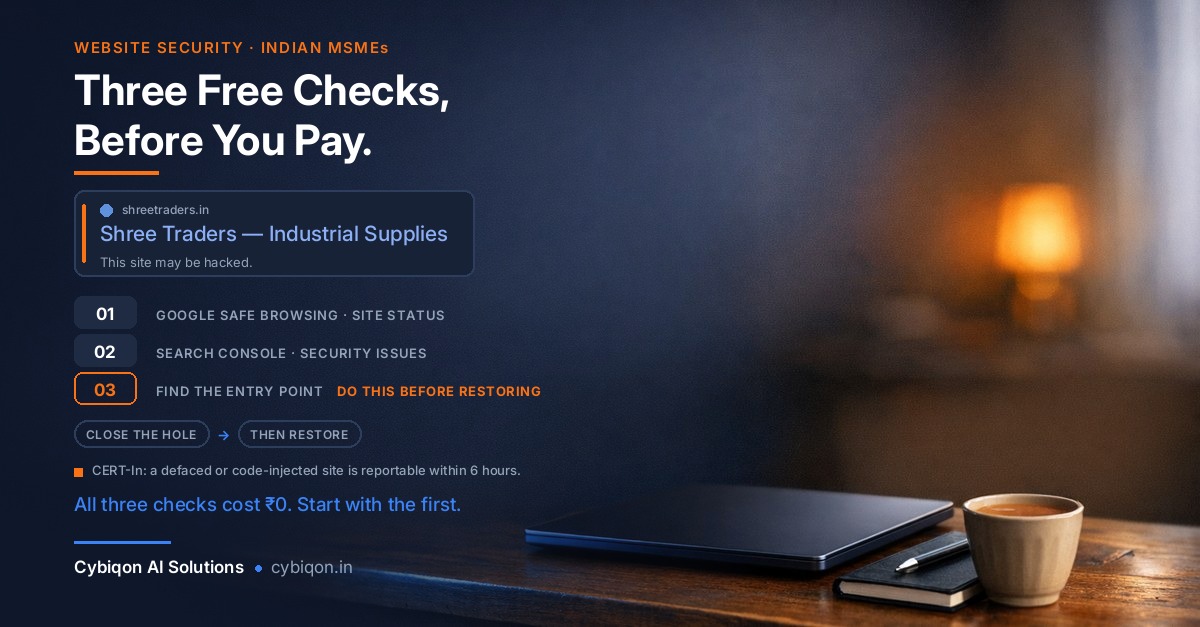
"This Site May Be Hacked": How to Remove It Fast in India
A customer just messaged you a screenshot. Under your company name on Google, there is a grey line that reads "This site may be hacked." Your website opens fine on your phone. Enquiries have gone quiet. And every single page ranking for the panicked search you just made is published by a company that sells malware removal.
Take a breath. Before you pay anyone anything, you can find out for free — in about five minutes — whether this is a false alarm, a twenty-minute fix, or a real compromise. That diagnosis is below, first, before anything else.
This matters more in India than the global coverage suggests. According to the CPA Australia Asia-Pacific Small Business Survey 2025/26, 47% of Indian small businesses lost time or money to a cybersecurity incident in the last 12 months — against a 37% Asia-Pacific average, making India the worst-affected market surveyed, and up from 43% the previous year.
Here's what you'll get: the free diagnosis, what the warning actually means, Google's real removal timeline (not the 24-hour promise you've been reading), the backup mistake that costs businesses a second month of invisibility, and the India-specific reporting duty nobody on page one mentions.
Step One: Diagnose "This Site May Be Hacked" in Five Minutes, Free
Do these three checks in order. All free, no vendor required.
1. Google Safe Browsing Site Status — 30 seconds, no login.
Go to transparencyreport.google.com/safe-browsing/search, paste your domain, press enter. This is Google's own public record of what it thinks of your site. If it comes back clean while your search result still shows the label, you are likely dealing with a search-index issue rather than active malware — different problem, calmer fix.
2. Google Search Console → Security Issues report.
This is the one that matters, and it is free. If your site isn't verified in Search Console, verify it now (a DNS TXT record or an HTML file upload — your hosting provider can do it in minutes). Then open Security Issues. This report is the only place Google names the specific URLs it found problems on, and the only place you can request a review. Everything else is guesswork.
3. Search site:yourdomain.com on Google.
Scroll. If you see pages you never created — Japanese text, pharmacy listings, replica handbags, betting links — you have spam injection, and now you know roughly how many pages.
Those three checks tell you which of three situations you're in. Do not skip to buying a cleanup before you've done them.
"This Site May Be Hacked" vs "This Site May Harm Your Computer"
Most articles blur these into one blob. They are genuinely different warnings with different severities, and knowing which one you have changes both your urgency and your timeline.
| What you see | What it usually means | Where you diagnose it |
|---|---|---|
| "This site may be hacked" (grey text under your search result) | Someone injected content or pages. Visitors can still reach your site. Usually spam. | Search Console → Security Issues |
| "This site may harm your computer" | Google believes the site is serving malware to visitors. | Search Console → Security Issues, plus Safe Browsing |
| Full red Chrome interstitial blocking entry | Safe Browsing is actively blocking traffic — the most severe of the three. | Safe Browsing Site Status |
Inside the Security Issues report, Google uses specific categories, and the wording tells you what happened. Under Hacked you may see malware, code injection, content injection or URL injection. Separately, Google flags deceptive pages, harmful downloads and uncommon downloads.
The practical difference: "content injection" and "URL injection" mean spam pages under your domain — bad for reputation and rankings, but visitors aren't being infected. "Malware" means visitors are at risk, and that deserves your afternoon, not your week. Read the exact wording before you decide how alarmed to be.
One more distinction worth being clear on with customers: this warning sits on your domain. It is a different problem from a cloned site impersonating your business or a lookalike domain someone registered using your company name — those are somebody else's server, and the remedies are completely different.
Why Japanese or Pharmacy Pages Are Showing Under Your Company's Name
Here is the scenario we see most often with Indian MSMEs. A small trader or manufacturer on WordPress shared hosting. Site built once, three years ago, by a freelancer who has since moved on. Plugins never updated because nothing looked broken.
Attackers inject cloaked spam — most commonly pharma pages or the Japanese keyword hack, which auto-generates Japanese-language pages selling counterfeit goods under your own domain. Cloaked means the injected content is served to Googlebot but not to you. You visit your homepage: perfectly normal. Googlebot crawls: hundreds of spam URLs.
That's why the first symptom is almost never a broken website. It's a customer saying "Google is showing something strange under your name." By then the spam has been indexed for weeks, your enquiries have thinned out, and the competitor two lanes down has quietly started showing up on Google where you used to.
The reason it's spam and not sabotage is simple economics. Nobody targeted your business. Your domain is being borrowed as free hosting for someone else's SEO — because a domain with genuine history and trust ranks better than a fresh throwaway. You are the infrastructure, not the target.
Nobody Attacked Your Business — They Attacked a Plugin
This is worth internalising, because owners routinely blame themselves or their staff. Look at three real 2026 incidents:
- Forminator (CVE-2026-15748) — a widely used WordPress contact-form plugin. Unauthenticated arbitrary file upload, CVSS 9.8, meaning an attacker needed no password at all. It affected versions up to 1.56.1 and was patched in 1.56.2 on 31 July 2026. SecurityWeek estimated that more than 300,000 of the plugin's 600,000+ active installations were still exposed at disclosure.
- Everest Forms Pro (CVE-2026-3300) — CVSS 9.8, remote code execution through an
eval()in its Complex Calculation feature. Wordfence reported blocking over 29,300 exploit attempts, including a spike of 17,900 on 16 May. Attackers were creating rogue admin accounts. - The April 2026 supply-chain attack — someone bought the EssentialPlugin portfolio of 30+ plugins (roughly 400,000 installs) on Flippa, planted a PHP deserialization backdoor as their very first commit, let it sit dormant for eight months, then triggered it on 6 April 2026. WordPress.org closed every plugin from that author the next day.
In all three cases the site owner did nothing wrong beyond running software they'd installed in good faith. That third one is the uncomfortable part — the plugin was legitimate when installed and became hostile after a change of ownership.
The takeaway isn't "WordPress is bad." It's that an unmaintained site is an open door, and the cleanup you're about to do is worthless if the door stays open.
The Honest Timeline: How Long Google Actually Takes
Almost every page ranking for this problem promises removal in 24 to 72 hours. Google's own documentation says something different, and you deserve the real number so you can set expectations with customers.
Per Google's documentation, after a successful review request:
- Phishing — roughly one day
- Malware — "a few days"
- Sites hacked with spam — up to several weeks
Search Console Help puts it as "several days or weeks." Even MalCare, one of the top-ranking pages on this topic, quietly concedes that "the official timeline is a few weeks."
Since the most common MSME case — Japanese keyword hack, pharma pages, injected spam URLs — falls squarely into the spam tier, plan for weeks, not hours. That single piece of honesty changes how you run the next month: you tell your regular customers directly, you lean on WhatsApp and phone enquiries, and you don't panic-resubmit a review every two days.
And there's a real cost to getting it wrong. If you request a review while a backdoor is still live, the site gets reflagged, and you burn a review cycle. Two failed cycles is how a two-week problem becomes a two-month one.
Don't Just Restore the Backup — The Re-infection Trap
This is the single most expensive mistake, and it's the one that feels safest.
Sucuri's 2023 Hacked Website & Malware Threat Report — based on 39,594 cleaned websites and 108,122,130 remote scans — found that 49.21% of sites contained at least one backdoor at the point of remediation. SEO spam was present on 20.30% of remediated sites (42.22% by remote scan), and 39.1% were running an outdated CMS.
Read that first number again. Roughly half of hacked sites have a backdoor — a hidden re-entry file. If you restore last week's backup, you restore the site including the vulnerable plugin version that let them in. GoDaddy's own documentation warns that malware can be saved inside the backup itself.
There's a second, very Indian problem: on typical shared hosting, there often isn't a clean restore point at all.
- GoDaddy cPanel (India) retains 1 day of automatic backups by default; 30 days requires the paid Website Backup add-on.
- Hostinger provides weekly backups on all plans, with daily backups only on Business plans and above or as a paid add-on, retained for 7 days.
If the injection happened three weeks ago — and with cloaked spam it usually did — your "clean backup" is already infected.
The public proof that cleanup-without-entry-point fails: In May 2024, TechCrunch found roughly four dozen gov.in links redirecting to online betting platforms — across Bihar, Goa, Karnataka, Kerala, Mizoram and Telangana, including state police and property-tax departments. CERT-In acknowledged it and said it had "taken up with the concerned authority." By January 2025, TechCrunch found 90+ gov.in links affected, now including India Post and the Indian Council of Agricultural Research. Researcher Bob Diachenko attributed it to a CMS or server-configuration compromise.
Government sites, government resources — and they were reinfected, because the content was cleaned and the entry point was never closed.
The Cleanup Sequence That Actually Works
In the order that works, not the order that feels natural:
- Diagnose free first. Safe Browsing Site Status, then the Search Console Security Issues report. Get the actual URL list Google is objecting to.
- Preserve evidence before you delete anything. Take a full copy of the current site and the server access logs. You will need the logs for step 4, and if you notify CERT-In you'll want them anyway.
- Clean all three layers. Files and database and user accounts. Injected spam frequently lives in database tables, not just in PHP files. Delete every admin user you cannot personally account for.
- Find and patch the entry point BEFORE restoring anything. Which plugin, which version, which log entry. This is the step everybody skips and the reason everybody gets reinfected.
- Harden. Update core, themes and plugins; remove plugins you don't use; rotate every password including hosting, FTP/SFTP, database and WordPress admin.
- Then request the review in Search Console, with a short honest note describing what you found and what you fixed.
- Recheck a week later with
site:yourdomain.com. Reinfection usually shows up fast.
Note that steps 1 through 3 are things a technically comfortable owner can genuinely do alone. Step 4 is where most people need help — reading access logs is a skill, not a setting.
The India Layer: CERT-In's Six-Hour Reporting Duty
Not one page currently ranking for this problem mentions this, and it applies to you.
Under CERT-In Directions No. 20(3)/2022-CERT-In dated 28.04.2022, issued under Section 70B(6) of the IT Act 2000, certain cyber incidents must be reported to CERT-In within six hours of noticing them. Annexure I of those Directions expressly lists "defacement of website or intrusion into a website and unauthorised changes such as inserting malicious code, links to external websites."
That is precisely what a hacked-site injection is. Annexure I runs to 20 categories — double the 10 in the earlier 2013 Rules.
How you report it — this is genuinely just one email:
- Email [email protected]
- Toll-free: 1800-11-4949 | Fax: 1800-11-6969
- Or use the CERT-In incident reporting form
Does it apply to a sole proprietorship? Yes. CERT-In's May 2022 FAQs adopt the Section 43A Explanation, under which "body corporate" means "any company and includes a firm, sole proprietorship or other association of individuals engaged in commercial or professional activities." The only carve-out is for individual citizens acting in a personal capacity — so your personal blog is out, but a proprietorship's business website is in. There is no size, revenue or headcount exemption, and the MSME-specific extension ran only until 25 September 2022.
On penalties, state it accurately: the fine ceiling under Section 70B(7) was raised from ₹1 lakh to ₹1 crore by the Jan Vishwas (Amendment of Provisions) Act, 2023, in force from 30 November 2023 (MeitY S.O. 4745(E) dated 31.10.2023). If you read a page still quoting ₹1 lakh, it hasn't been updated since 2023.
But do not let that number panic you. There are zero publicly reported enforcement actions against any Indian business for missing the six-hour window — confirmed via the Centre for Internet and Society, and Baker Botts notes that CERT-In "has not been aggressive in seeking penalties." CERT-In's own FAQs say the power is used "reasonably and on occasions when the non-compliance is deliberate." Treat this as a live duty you discharge with one email while your tea is still hot — not as a bill arriving.
A second, separate clock: if the hack also exposed customers' personal data, the DPDP Rules 2025 (notified 13 November 2025), Rule 7, require you to intimate the Data Protection Board without delay, file a detailed report within 72 hours, and notify affected individuals. Two clocks, two regulators, one incident.
FAQs
What does "This site may be hacked" actually mean on Google?
It means Google's systems detected content on your site that it believes was placed there without your permission — most often injected spam pages. Your site usually still loads normally for you, because the injected content is frequently cloaked and served only to Googlebot. Confirm it in the Search Console Security Issues report, which lists the specific URLs Google objects to.
What's the difference between "This site may be hacked" and "This site may harm your computer"?
"This site may be hacked" generally indicates injected content or spam pages — a reputation and rankings problem. "This site may harm your computer" indicates Google believes your site is serving malware to visitors, which is more severe. A full red Chrome interstitial blocking entry is more severe still. Check the exact category in Security Issues — Google distinguishes malware, code injection, content injection and URL injection.
How do I check for free whether Google has flagged my website?
Two free checks. First, paste your domain into Google Safe Browsing Site Status at transparencyreport.google.com/safe-browsing/search — no login, about 30 seconds. Second, verify your site in Google Search Console (free) and open the Security Issues report. Search Console is the only place Google names the affected URLs and the only place you can request a review.
How long does Google take to remove the hacked warning after I request a review?
Per Google's own documentation: roughly one day for phishing, "a few days" for malware, and up to several weeks for sites hacked with spam. Search Console Help says "several days or weeks." Ignore the widely repeated "24 to 72 hours" claim — most MSME cases are spam injections, which sit in the slowest tier.
Can I just restore a backup to fix a hacked website?
Usually not, and it's the most expensive mistake owners make. Sucuri's 2023 Hacked Website & Malware Threat Report found 49.21% of sites had at least one backdoor at remediation, and 39.1% were running an outdated CMS. Restoring a backup restores the vulnerable software too — and GoDaddy's documentation warns malware can be saved inside the backup itself. Also check retention: GoDaddy cPanel in India keeps 1 day of automatic backups by default, and Hostinger keeps weekly backups for 7 days on standard plans.
Do I have to report a hacked website to CERT-In in India?
Yes, if it involves website defacement or intrusion — that's expressly listed in Annexure I of CERT-In Directions No. 20(3)/2022-CERT-In dated 28.04.2022, reportable within six hours of noticing. Email [email protected] or call 1800-11-4949. The duty extends to sole proprietorships, per CERT-In's May 2022 FAQs adopting the Section 43A definition of "body corporate"; only individual citizens acting in a personal capacity are excluded.
Why are Japanese or pharmacy pages showing under my company's name in Google?
That's the Japanese keyword hack or a pharma hack — injected, auto-generated pages hosted on your domain and cloaked so that Googlebot sees them and you don't. Attackers borrow your domain's existing trust to rank their spam. Run a site:yourdomain.com search on Google to see the scale of it.
Will my Google rankings recover after the warning is removed?
The warning label goes once Google approves your review, but rankings for the injected spam URLs disappear entirely, and your legitimate pages may take time to re-establish. The important thing is that reinfection is what really damages long-term ranking, because it means repeated flags. Close the entry point properly the first time.
Get an Honest Second Opinion Before You Pay for Anything
At Cybiqon, we'll read your Search Console Security Issues report with you free of charge and tell you honestly which of the three situations you're in: a false alarm, a twenty-minute restore, or a genuine compromise. If it's the first two, we'll say so and you owe us nothing.
If it is a real compromise, we fix the entry point rather than the symptom — reading the access logs to find which plugin and which version let them in, cleaning files, database and rogue admin users, then hardening before requesting the review. We'll also walk you through filing the CERT-In notification in the same sitting, so that clock is closed properly.
We're a small Indian LLP building websites, apps and AI automation for MSMEs — not a subscription malware vendor. Reach us at [email protected] or +91 9250711473, or visit cybiqon.in.
Conclusion
Seeing "this site may be hacked" under your business on Google is genuinely alarming, but it is diagnosable in five minutes and free to diagnose. Run Safe Browsing Site Status, read the Search Console Security Issues report, and search site:yourdomain.com before you pay anyone. Then close the entry point before you restore or request a review — because reinfection, not the original hack, is what turns a two-week problem into a two-month one. Send the CERT-In email the same day. You've got this.
Want this set up for your business?
Book a free call — no tech jargon, no sales pressure. Just honest answers.
What we build for this: Custom websites