SSL certificate renewal for Indian MSME websites after the 200-day cap
SSL Certificate Renewal India: The 200-Day Rule Nobody Told You
SSL Certificate Renewal India: The 200-Day Rule Nobody Told You
First, let's sort out which reader you are. If you are trying to open somebody else's website and Chrome says "Your connection is not private", the fix is almost always on your side: check that your phone or laptop's date and time are set to automatic. A wrong clock makes every certificate on the internet look expired. That's it — you can stop reading here.
But if your own customers are messaging you screenshots of that warning on your own website, this article is for you — and every "clear your cache, restart your router" tip you'll find online is actively misleading, because your site will keep loading perfectly on your machine while it is broken for everyone else.
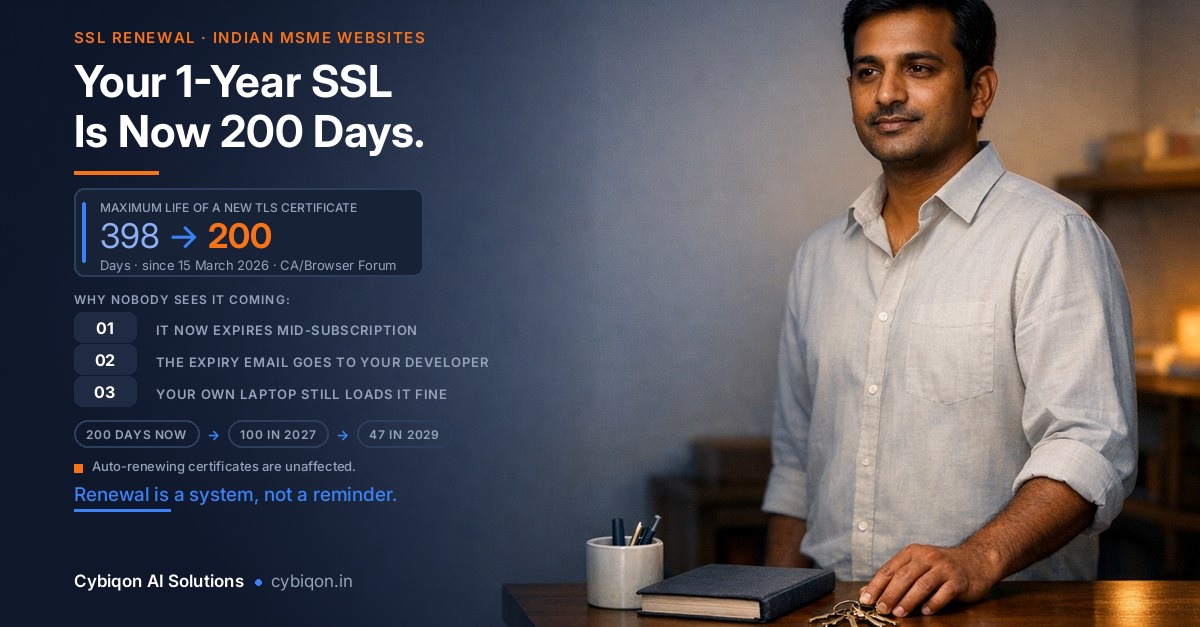
Something changed this year that almost no Indian business owner has been told about. Since 15 March 2026, no publicly trusted SSL/TLS certificate can be issued for longer than 200 days. The "1-year SSL" you bought from your reseller still exists as a subscription — but it is now delivered as a chain of short certificates with a mandatory mid-term reissue. Miss that reissue and HTTPS simply stops working.
This guide covers what changed, why the warning goes unnoticed for weeks, how to tell it apart from the two Google warnings it gets confused with, and a same-day fix sequence you can run yourself.
What changed in 2026: the 200-day SSL certificate cap explained
The rule comes from the CA/Browser Forum, the body where certificate authorities and browser makers agree on the ground rules. Its TLS Baseline Requirements (§6.3.2) were amended by Ballot SC-081v3, which passed on 11 April 2025 with 25 certificate issuers voting yes, none against, five abstaining, and all four browser members in favour.
The result is a published ladder that shortens certificate life in stages:
| Period | Maximum certificate validity | Domain validation reuse |
|---|---|---|
| Before 15 Mar 2026 | 398 days | 398 days |
| 15 Mar 2026 – 14 Mar 2027 | 200 days | 200 days |
| 15 Mar 2027 – 14 Mar 2029 | 100 days | 100 days |
| From 15 Mar 2029 | 47 days | 10 days |
In practice most certificate authorities issue at 199 days, not 200. DigiCert says its maximum validities are set "one day shorter than the maximum validity allowed by the CA/Browser Forum, to avoid exceeding the maximum permitted validity", and stopped accepting requests longer than 199 days on 24 February 2026.
Look at the bottom row and you can see where this ends. From March 2029, a certificate lasts about six and a half weeks — roughly eight renewals a year — and you must re-prove that you control the domain roughly every ten days regardless. Manual certificate renewal is arithmetically dead. SC-081v3 also cut Subject Identity Information reuse from 825 days to 398, and reuse of validated domain names in a certificate's SAN field from 398 days to 10 days.
Let's Encrypt is moving even faster than the mandate requires: 45-day certificates on its tlsserver profile from 13 May 2026, its classic profile dropping to 64 days in February 2027 and 45 days in February 2028.
Why your "1-year SSL" from an Indian reseller is now a subscription
This is where Indian MSME owners are getting caught. You paid for a year. You assume you're covered for a year. You are — but only if someone performs a reissue partway through.
BigRock's own India help documentation on the Sectigo validity change spells it out: multi-year orders are now issued at 200 days, and customers "need to re-issue the certificate to extend its validity to another 200 days or the order expiration date (whichever is lower)". Reminders go to the registered email address. Sectigo's cutover was 12 March 2026; certificates issued before 11 March 2026 are unaffected.
Namecheap's knowledge base is even blunter, and these two lines are worth pinning above your desk:
"An SSL file can only live 200 days — that's the industry cap. If it isn't reissued before that date, HTTPS stops working."
"The subscription timer starts with the first certificate. If you skip a reissue, the timer keeps running — unused days aren't added to the end of the plan."
Read that second sentence again. Days you don't use are not credited back. A three-year order that sits unreissued for two months has simply lost two months.
GoDaddy automates part of this: it will auto-revalidate and install a reissued DV certificate roughly 30 days before validity ends — but only if the certificate is connected to a GoDaddy domain. If your domain sits with a different provider, GoDaddy states you are responsible for manually installing the reissue yourself. Plenty of Indian MSMEs have exactly that split: domain at one company, hosting at another, certificate at a third.
To be clear about what this rule does not affect — that honesty matters more than the scare — see the next section.
The honest limit: most websites renew themselves automatically
Here is the part that vendor blog posts leave out, and it is the most useful thing in this article.
Let's Encrypt now issues certificates for 64.3% of all websites — 67.7% among sites using a tracked certificate authority — according to W3Techs data dated 7 September 2026. Sectigo sits at 4.7%, GoDaddy Group at 3.5%, DigiCert Group at 1.6%. (Cloudflare Radar's June 2026 issuance figures put Let's Encrypt at 54.5%; that's a difference in how you count, not a disagreement.)
Let's Encrypt certificates are 90 days and renew themselves over the ACME protocol. Cloudflare Universal SSL is free, 90-day, and auto-renews starting 30 days before expiry — though note it covers your root domain and first-level subdomains only, not deeper ones like shop.store.example.com. cPanel AutoSSL does the same job on shared hosting.
So the 200-day ladder mostly bites one specific group: manual, paid, reseller-sold certificates. In India that means the BigRock / GoDaddy India / HostGator India / ResellerClub / The SSL Store India segment — the classic "your freelancer bought an SSL as a line item on the invoice" setup.
If that describes your website, you are in the affected group. If your site runs on Let's Encrypt or sits behind Cloudflare, you are almost certainly fine and can go back to more valuable work — like working out why your competitor shows up on Google and you don't.
Why nobody notices for weeks: three reasons this fails silently
A Ludhiana auto-components manufacturer we can use as the standard example: export catalogue site built in 2024 by a freelancer who registered the domain, bought the hosting and bought a Sectigo DV certificate — all under his own accounts — and handed over only a WordPress login. The owner renewed once by paying an invoice. In 2026 the certificate issues at 200 days, expires quietly around day 200, and he finds out from a buyer in Dubai.
Three things conspire to make this invisible:
1. The site doesn't go down. Your server is running, your hosting bill is paid, your pages are fine. Visitors just hit a full-page interstitial reading "Your connection is not private" with the code NET::ERR_CERT_DATE_INVALID. Nothing in your analytics screams; nothing in your inbox arrives.
2. The expiry email goes to the wrong person. It goes to whoever registered the certificate — the freelancer or agency. Renewal is nobody's named job. This is the same structural problem behind most domain and hosting surprises: the business doesn't own its own digital assets.
3. Your own laptop still loads the site. Desktop Chrome caches intermediate certificates, so a broken chain often looks perfectly fine to you. Meanwhile 64.45% of India's web traffic is mobile (StatCounter, August 2026; desktop is 34.97%) — and a fresh Android Chrome with no cached intermediate fails outright. The owner checks on his laptop, concludes "it's working", and does nothing.
That mobile gap is worth internalising generally: two-thirds of your visitors are on a phone, often on patchy mobile data, which is also why how fast your site loads on a phone decides more sales than most owners expect.
"Your connection is not private" vs "This site may be hacked" vs "Deceptive site ahead"
This is the single most expensive confusion in Indian MSME web ownership, and no page-one search result explains it properly. These are three different warnings from two different systems.
| "Your connection is not private" | "This site may be hacked" | "Deceptive site ahead" | |
|---|---|---|---|
| Where you see it | Full page, in the browser only — never in Google results | A grey line under your Google listing; the site still loads | Full-page red interstitial; can also label search results |
| Who shows it | The browser's own TLS check. Google is not involved | Google Search hacked-content detection | Google Safe Browsing (Chrome, Firefox, Safari) |
| Cause | Certificate expired, wrong domain, untrusted issuer, or broken chain. NET::ERR_CERT_DATE_INVALID = expired (or the visitor's clock is wrong) |
A third party injected content or spam pages into your site | Phishing, social engineering, malware, harmful redirects |
| Fix | Reissue and reinstall. Minutes to hours, usually free inside your subscription | Remove injected content, close the entry point, request review. Days to weeks | Full cleanup plus review request. Days to weeks |
| Search Console | Nothing at all. No review to request | Yes → Security Issues → Request Review | Yes → Security Issues |
Get this wrong in either direction and it costs you real money. Owners who see a certificate warning and panic about "hacking" end up paying for a malware cleanup that fixes nothing — the certificate is still expired. Owners who see a genuine hacked-site warning under their Google listing and assume "it's just the SSL" leave injected spam pages live for weeks while their rankings collapse.
Only one of these three is an SSL certificate renewal problem. Spend thirty seconds identifying which before you spend a rupee.
The same-day fix: 8 steps to clear an expired SSL certificate
Work through these in order. Steps 1–7 usually take under an hour. Step 8 is the one that stops it happening again.
- Confirm it's actually an expiry. Click the warning or the padlock → Certificate → check "Valid from" and "Valid to". Cross-check from a second device on mobile data, so a stale local cache doesn't fool you. If
NET::ERR_CERT_DATE_INVALIDshows on a device whose clock is correct, the problem is your server, not the visitor. - Rule out the other two warnings in thirty seconds. Open Google Search Console → Security Issues. If it's empty, this is a certificate problem, and no malware cleanup will fix it.
- Find where the certificate actually lives. It is in exactly one of: your hosting panel (cPanel → SSL/TLS Status, or AutoSSL), the registrar/reseller that sold it, Cloudflare (SSL/TLS → Edge Certificates), or a CDN/load balancer. Many MSME sites have certificates in two places and only one has expired.
- Reissue — don't repurchase. If the subscription is still running, the reissue is included at no extra cost; DigiCert, Sectigo/BigRock and Namecheap all state this. You will have to redo domain control validation, because the reuse window shrank alongside the certificate lifetime.
- Install the full chain. A missing intermediate certificate is the single most common cause of "I installed it and it's still broken". Desktop Chrome caches intermediates and looks fine; a fresh Android Chrome fails. With roughly 64% of Indian traffic on mobile, that means it's broken for most of your customers and fine on your laptop.
- Check both
example.comandwww.example.com. Second most common cause. A certificate covering one and not the other is a half-fixed site. - Purge the CDN or host cache, or a stale copy of the old certificate keeps getting served after you've done everything right.
- Then fix it permanently. Move to an auto-renewing certificate (cPanel AutoSSL, Let's Encrypt via ACME, or Cloudflare Universal SSL). Move the domain, hosting and certificate into accounts the business owns. Put expiry monitoring on the owner's email, not the developer's.
Does an expired SSL certificate hurt Google rankings or Google Ads?
Let's be careful and honest here, because this corner of the internet is full of invented statistics.
We won't quote you an abandonment percentage. The only serious field study — Akhawe and Felt's "Alice in Warningland" (USENIX Security 2013), covering over 25 million warning impressions — found users clicked through 70.2% of Chrome's SSL warnings. So the honest argument is not "everyone leaves". It is narrower and stronger:
- It's a public trust signal. A padlock is one of the few things a first-time buyer can check about you. A missing padlock, or a certificate issued days ago on a site claiming ten years in business, reads as suspicious — the same instinct that helps customers tell your real website apart from an impersonator.
- Things break outright. Payment gateways, embedded forms, APIs, webhooks and third-party integrations don't "click through" a warning. They fail.
- Google Ads Destination Requirements state that your ad destination and contents must "work on common browsers and devices". Google does not explicitly name SSL in that policy, so we won't claim it does — but a full-page browser interstitial is not a working destination by any reasonable reading.
And a regulatory note, stated plainly because it is genuinely useful: no Indian regulator mandates a valid TLS certificate for a private MSME website. RBI requires payment aggregators to ensure merchants adopt prescribed security standards and to verify PCI-DSS/PA-DSS compliance of the infrastructure — that is general, not an SSL clause. The CERT-In directions of April 2022, extended to MSMEs in September 2022, cover six-hour incident reporting, log retention and clock synchronisation; nothing about certificates. Anyone telling you an expired SSL puts you in legal breach today is selling something.
What is coming is a browser change. Chrome 154, due October 2026, turns on "Always Use Secure Connections" by default for all users and all public sites, asking permission before the first visit to any public HTTP site. The staged rollout began with Chrome 147 in April 2026. Google notes HTTPS adoption has "largely plateaued" at 95–99% — which is precisely why the remaining gap is being closed by default settings.
Why Indian owners get this wrong: the DSC confusion
Here's a very Indian reason this rule blindsides people. In India, "certificate renewal" overwhelmingly means Digital Signature Certificate renewal — the eMudhra or Capricorn Class 3 token you use for GST filings, MCA compliance and e-tendering, issued under the CCA framework of the IT Act, valid for one to three years.
That habit is exactly why owners treat an SSL certificate as buy-it-and-forget-it. But a DSC and an SSL/TLS certificate are entirely different products from entirely different systems: one identifies you as a signatory to Indian government portals; the other encrypts traffic between a browser and your web server, and is governed by browser vendors, not by any Indian authority. Your DSC renewal cycle tells you nothing about your website's certificate.
It doesn't help that the vendors' own pages are stale. Sectigo's own knowledge base page titled "Official TLS/SSL Certificate Lifespan" still states 398 days and cites August 2020. Hostinger's India tutorial still says certificates "usually last one to two years". An Indian owner Googling this today can land on a certificate authority's own page and be told the wrong thing.
Even the start date is reported inconsistently by Indian sellers: https.in says 18 February 2026, DigiCert 24 February, SSL.com 11 March, Sectigo/BigRock/Namecheap 12 March. The actual Baseline Requirements date is 15 March 2026 — the earlier dates are individual CAs building in their own safety margins. Two Indian sellers' pages will give you two different answers, and neither is the rule.
FAQs
Why does my website say "Your connection is not private"?
Because the browser's TLS check failed. The most common cause on a live business site is an expired certificate — code NET::ERR_CERT_DATE_INVALID. Other causes are a certificate issued for the wrong domain (covering example.com but not www.example.com), an untrusted issuer, or a broken chain with a missing intermediate. If it appears on multiple devices with correct clocks, the problem is your server. If it appears only on one device, check that device's date and time first.
How often do I need to renew my SSL certificate in 2026?
At least every 200 days. Since 15 March 2026 that is the maximum validity for any publicly trusted certificate, and most CAs issue at 199 days. It drops to 100 days from March 2027 and 47 days from March 2029, when you'll also need to re-prove domain control roughly every 10 days. If your certificate auto-renews (Let's Encrypt, cPanel AutoSSL, Cloudflare Universal SSL), you never touch it. If it's a manually installed paid certificate, plan on a reissue roughly every six months.
Is a 1-year or 2-year SSL certificate still available in India?
You can still buy a one-, two- or three-year subscription from Indian resellers like BigRock, and the price still covers that period. What you cannot get is a single certificate file valid that long. The order is delivered as a chain of 200-day certificates with mandatory reissues in between. As Namecheap puts it, the subscription timer starts with the first certificate, and unused days are not added back to the end of the plan.
What is the difference between SSL certificate reissue and renewal?
Renewal means buying another subscription term when your current one ends. Reissue means generating a fresh certificate within a subscription you already paid for — which is now compulsory partway through every multi-month order. Reissue is included at no extra cost while the subscription is active. You will need to redo domain control validation each time, because the validation reuse window shrank alongside the certificate lifetime.
My SSL works on my laptop but not on my customers' phones. Why?
Almost always a missing intermediate certificate. Desktop Chrome caches intermediates from previous browsing, so it can build a valid chain even when your server isn't sending one. A fresh Android Chrome has no such cache and fails outright. Since 64.45% of India's web traffic is mobile (StatCounter, August 2026), this means your site is broken for most of your customers while looking perfect to you. Reinstall the certificate with the full chain, then re-test on mobile data.
Is a free SSL certificate safe for a business website?
Yes, for the vast majority of MSME sites. Let's Encrypt now covers 64.3% of all websites (W3Techs, September 2026) and is trusted by every major browser exactly like a paid certificate — the encryption is identical. What paid certificates add is organisation validation, warranties and support, which matter for large enterprises and some regulated contexts. For a catalogue site, a service business or a small D2C store, a free auto-renewing certificate is both safer in practice and less likely to expire than a paid one nobody remembers to reissue.
Is an SSL certificate the same as a DSC?
No. A Digital Signature Certificate from eMudhra or Capricorn identifies you as a signatory on GST, MCA and e-tendering portals under India's IT Act framework, and is valid one to three years. An SSL/TLS certificate encrypts traffic to your website and is governed by browser and CA rules — currently capped at 200 days. Renewing one does nothing for the other.
Getting your website off the manual-renewal treadmill
This is the kind of problem Cybiqon exists to remove. We're a small Indian LLP building websites, apps and AI automation for MSMEs — manufacturers, exporters, shopkeepers and D2C brands who need their web presence to just work without becoming a second job.
If your site is showing a certificate warning right now, or you simply don't know who holds your domain, hosting and certificate, we can audit it and tell you plainly — no jargon, no upsell. Typically that means moving you to an auto-renewing certificate, consolidating everything into accounts your business actually owns, and putting expiry alerts on your email rather than a former freelancer's.
Write to [email protected], call +91 9250711473, or visit cybiqon.in. Send us the screenshot your customer sent you — that's usually enough for us to tell you which of the three warnings you're dealing with.
The takeaway
SSL certificate renewal in India is no longer an annual invoice — it's a 200-day cycle heading to 47 days by 2029. If your certificate auto-renews, you're fine. If it was manually installed by someone who no longer works with you, it will expire quietly, your laptop will keep loading the site, and you'll hear about it from a customer. Check your expiry date today, confirm Search Console is clean, and move to auto-renewal. Ten minutes now beats a week of lost enquiries later.
Want this set up for your business?
Book a free call — no tech jargon, no sales pressure. Just honest answers.
What we build for this: Custom websites